


Nomaspin Mobile
The Nomaspin app works independently: it updates automatically and doesn’t need anything beyond standard browser permissions. Plus, it has all the features of a native application but is so lightweight that your phone won’t even notice it.



Main App Features
There’s a good reason why our solution is so popular among players. That’s because it offers a lot of benefits that can make your gaming experience much better:
- Partial offline mode – Thanks to caching and Service Workers, you can still access many sections even without the internet.
- Session state saving – If you play on the go and lose your connection, don’t worry – your progress at Nomaspin Casino won’t be lost. Your data is saved on the server, so you’ll get it back automatically when you reconnect.
- Minimal device load – Our PWA is only 1 MB in size and uses your device’s resources efficiently. That’s why your phone’s battery can last longer.
- Adaptive content delivery – The Nomaspin app uses Lazy Loading. Even with a poor internet connection, the Live Casino stream won’t lag and the video quality will simply adjust.
Also, our solution offers the same functionality as the website. So, you can activate bonuses, complete the verification process and top up your balance in any of the available ways.
Mobile Interface and Navigation
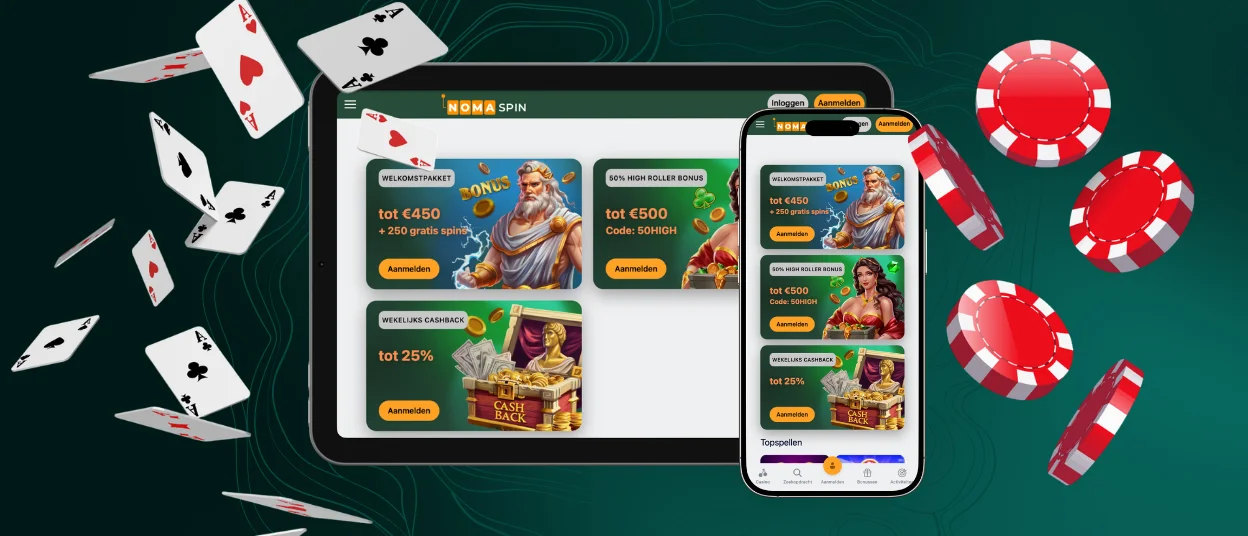
Thanks to progressive web technology, the Noma Spin app interface adapts to different screen sizes and resolutions. This also changes the interface: buttons become larger and easier to use with touch controls.
Navigation also works differently on mobile. The main menu moves to the bottom of the screen, and the Deposit option takes center stage. Also, you don’t need to tap any buttons to switch between sections – you can just swipe.
It doesn’t matter which page you visit on the Nomaspin Casino platform – the headphone icon is always here in the mobile version. You can use it to open the live chat and contact our support team if you have any questions.
Full-Screen Mode
Many players use our PWA to get a native app experience. After all, it hides the address bar, browser tabs, navigation buttons and other things that can distract you from the game.
However, if full-screen mode is the main reason you want to install our application, you can also use this feature on the Nomaspin website. So, you can click the square icon and choose how you want to view the screen – in a standard layout or split into two or four sections.
OS Compatibility
The main feature of the Nomaspin app is that it works as a universal version for all operating systems. So, you can install it on:
- Android – You don’t need the latest version of this OS on your phone. Our solution works even on Android 5.0+.
- iOS – The Noma Spin app updates automatically, so you don’t need to look for new releases in the App Store.
- Windows – Our application runs on a browser engine, and you can get it on your computer with Chrome, Opera, Firefox or any other option that you prefer.
- macOS – If you use this operating system, you can also add the Nomaspin app as a regular program and launch it from a shortcut on your desktop.
To get our PWA, just click the Casino App button on our website and then select “Install”. And in less than a minute, you’ll be able to use it.
Security of the Nomaspin App
Our mobile casino provides a very high level of safety. That’s because the Nomaspin app uses a range of security tools:
| Aspect | Technology | What It Means For You |
| Secure connection | HTTPS and TLS | All your personal information and transactions are encrypted. That’s why no one can steal your data |
| Two-factor authentication | 2FA | Even if someone gets your password, they’ll still need an extra verification step to log in to the Noma Spin app |
| Attack protection | WAF and rate limiting | Our PWA is protected from automated attacks, password guessing and malicious requests |
| Monitoring | IDS/IPS | Nomaspin Casino systems quickly detect suspicious activity and block it |
What’s more, you get the same protection features on every operating system. So, no matter which device you use, you can count on a safe gaming experience.

How to Remove the App
The Noma Spin app is a PWA, but you can still delete it from your device just like any other app or program. On your phone, you can tap the shortcut and select “Remove”.
On a desktop, this process takes a few more steps: you need to open the list of installed apps, go to Settings and click “Uninstall”. Also, you can do this from your browser.
When you delete our solution, it won’t affect your Nomaspin account in any way – your profile will still exist along with all your game progress. And if you ever want to get the PWA back, just go through the same simple installation process again.
FAQ
Can I use the Nomaspin solution in any region?
No, it’s only available in iGaming-friendly countries. If you’re abroad for work or on vacation, our PWA won’t work there.
What games can I find on the mobile version?
With our solution, you can play over 6,000 titles from Pragmatic Play, BGaming and other providers. You can choose games from categories such as Online Slots, Live Casino, Instant Win and many others. In addition, you’ll find the same extensive bonus program as on the Nomaspin Casino website.
Can I register directly in the app?
Yes, you can create a Nomaspin Casino account right from the mobile interface. What’s more, you can also complete the KYC process in the PWA later.


